 Ralfor
Take the tour
A walk through a day at a small home in Ralfor, on our sample home with made-up residents. Use the arrows, or ask the chat anything along the way.
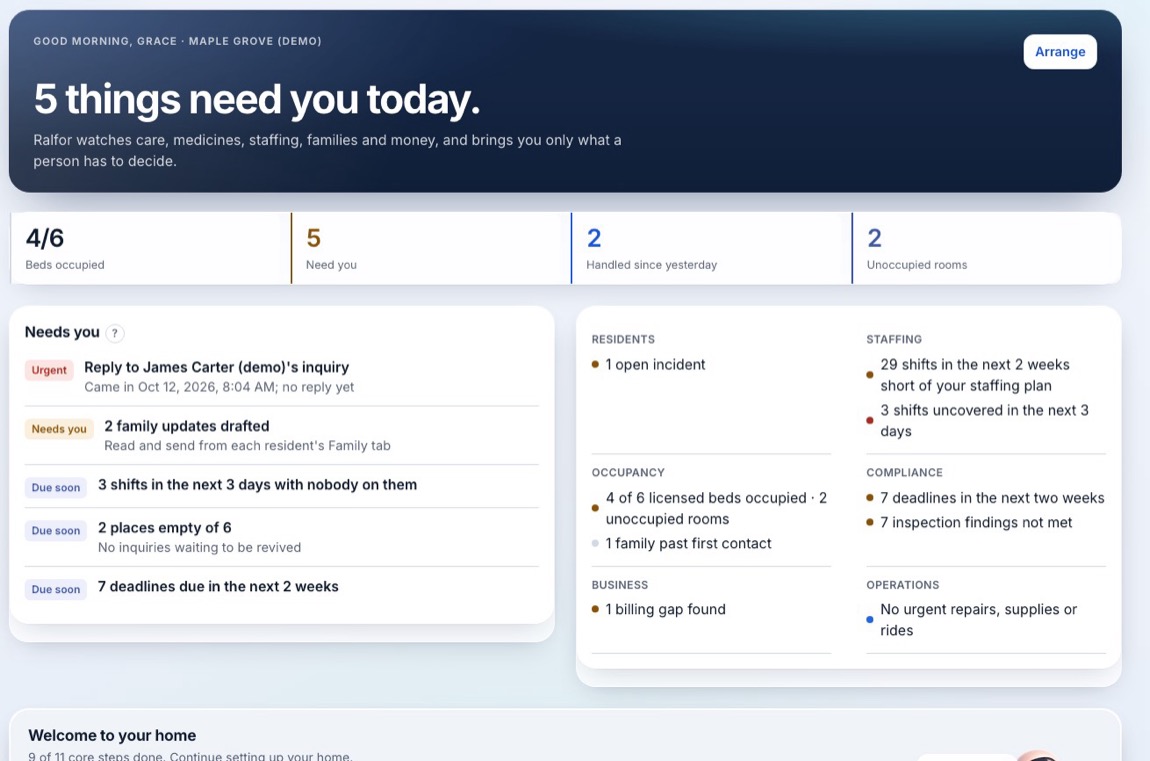
Your day on one screen
The morning starts on one list: what's due, what's late, and what needs a person's decision, in the order it matters. Each item says why it's there.
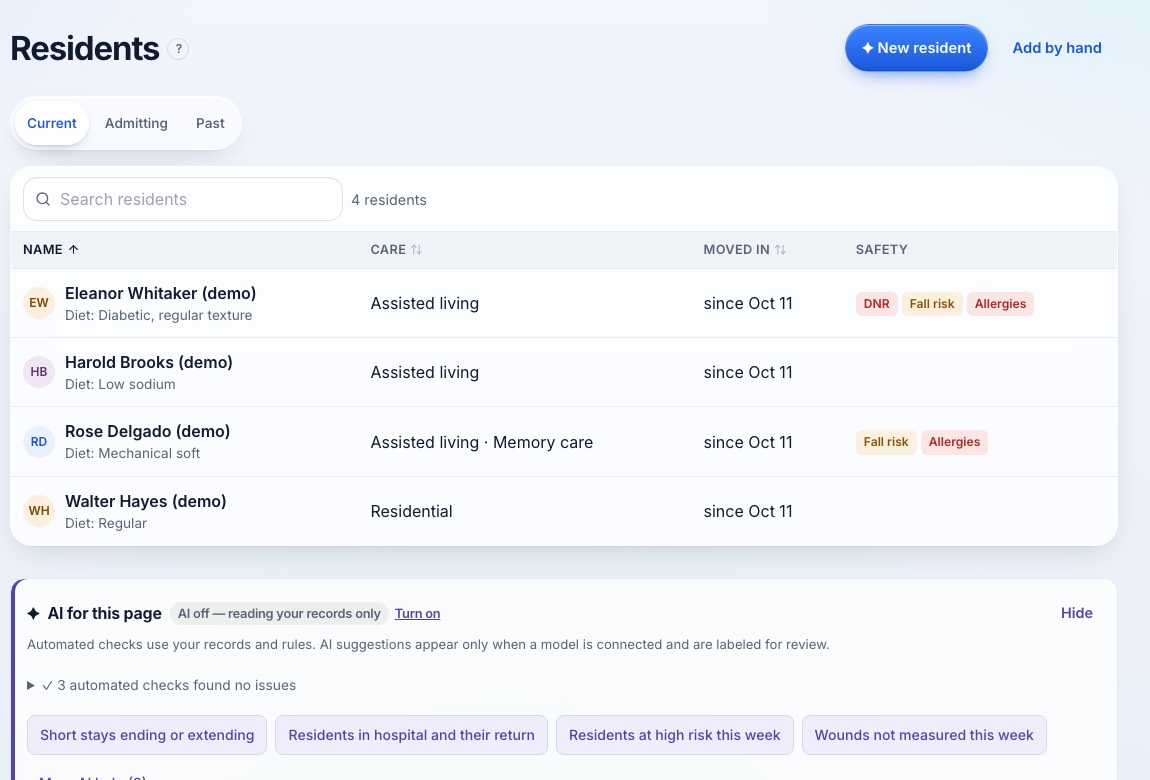
Every resident in one place
Every resident, with what needs attention for each. Admissions move an enquiry to a resident at move-in, and you can bring existing records in from a spreadsheet with a preview first.
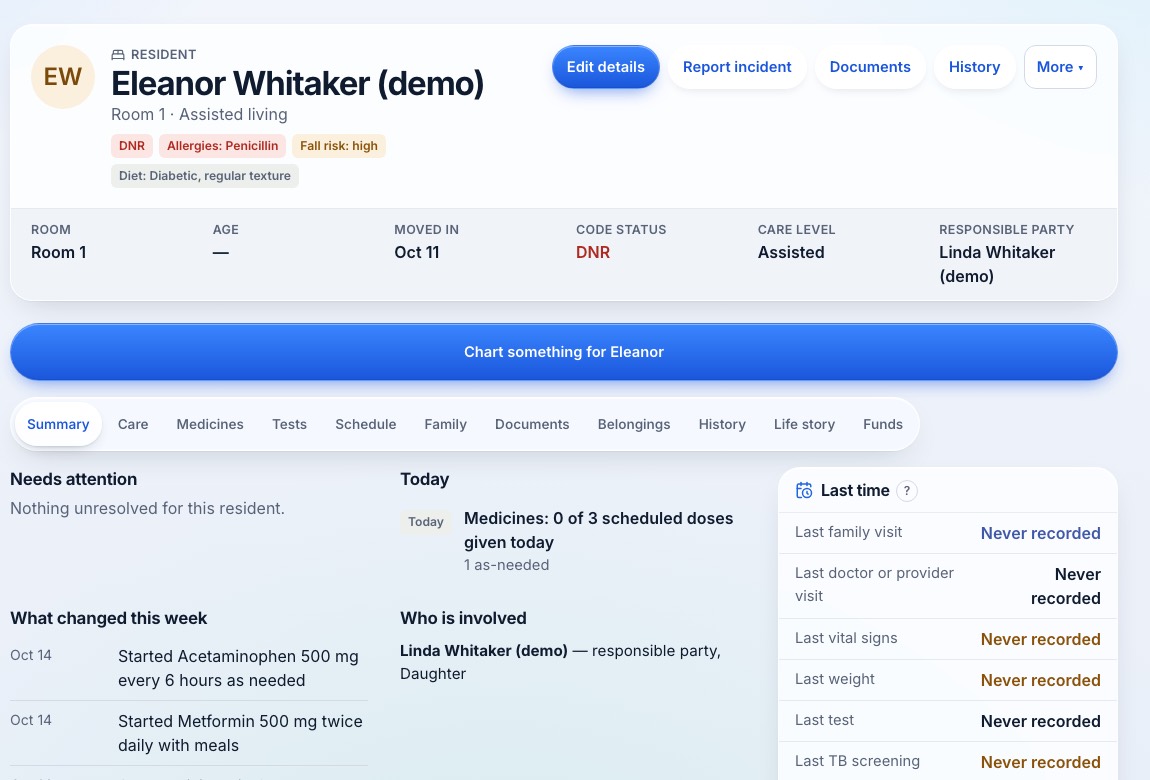
A full resident record
Code status, allergies, fall risk and diet at the top. Below: the care plan, notes, medicines, tests, family, documents and history. Staff chart by tap or voice and confirm the draft.
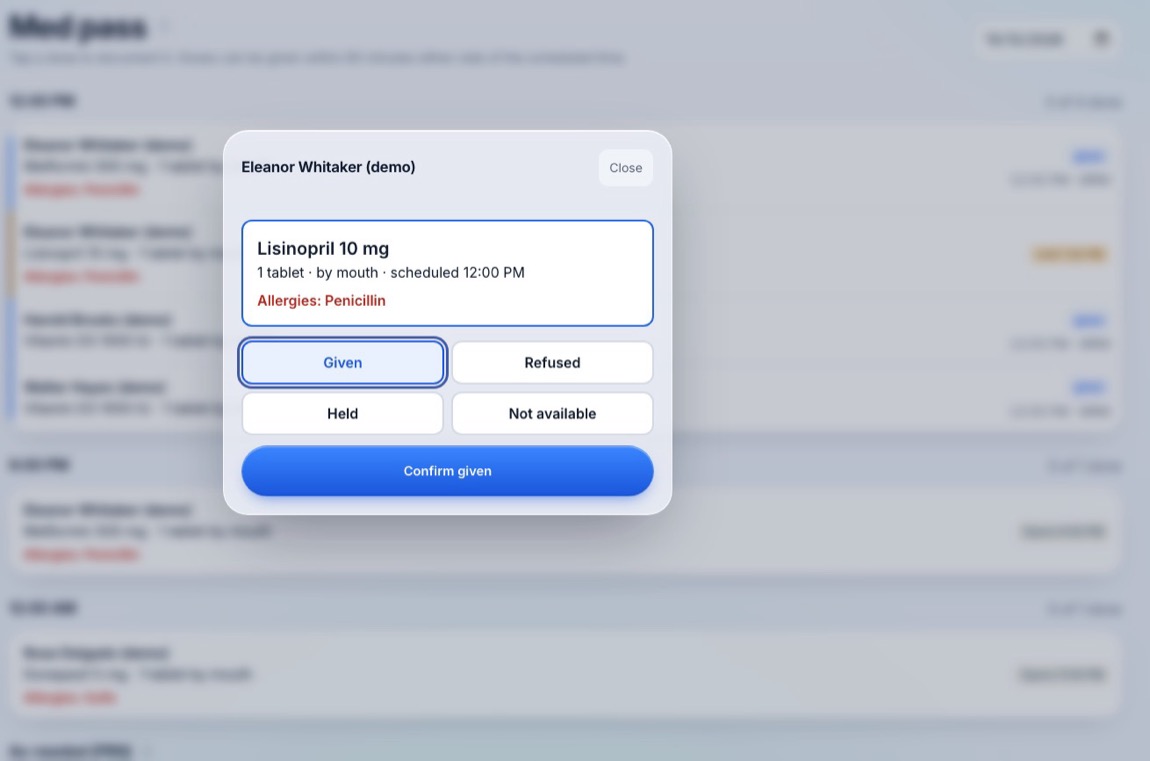
The med pass
Given, refused, held or not available, with allergies in view. The home's dose window is enforced by rules, not AI, so it behaves the same way every time. PRN doses ask for the reason and the result; refills show a run-out date.
New or changed orders arrive as drafts that a nurse accepts before anything reaches the pass. The AI assistant never changes a medication order.
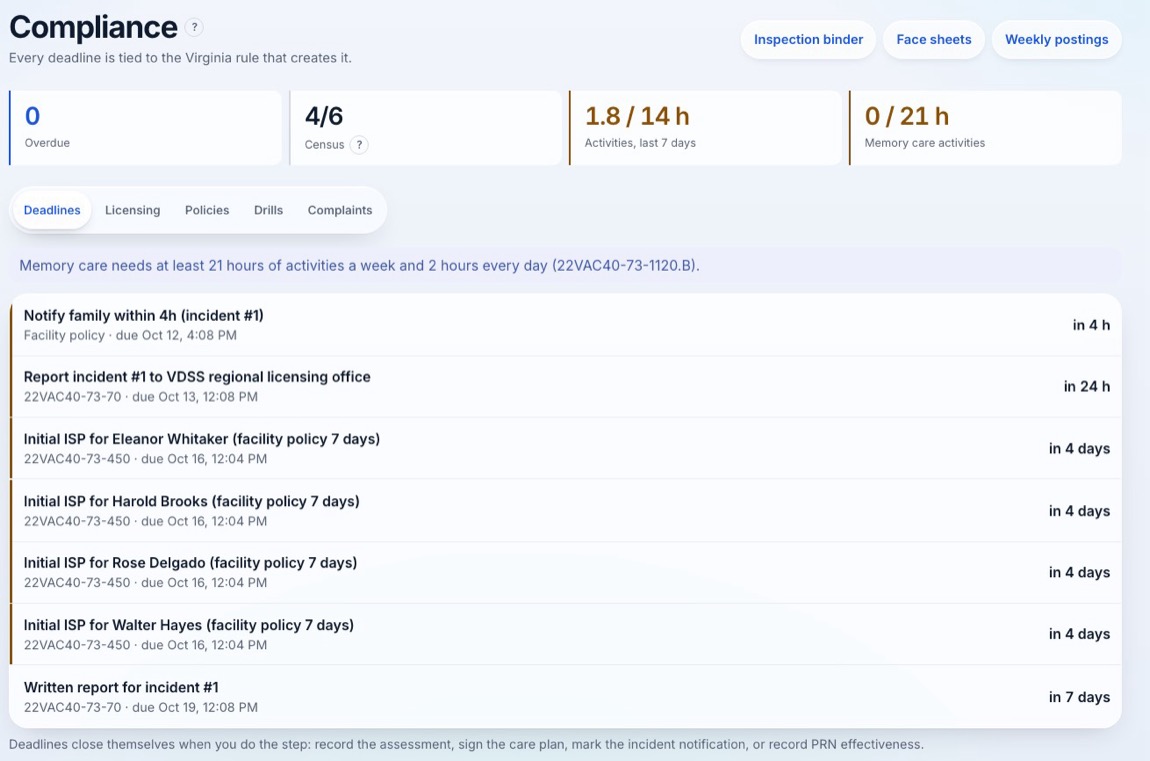
Deadlines with their rule
Report an incident and its reporting deadlines appear on their own, next to care plan reviews and other due dates. Each shows the rule it comes from, and closes when the step is recorded.
General information, not legal advice. Check your own licensing guidance; our North Carolina rule references have not had a professional legal review.
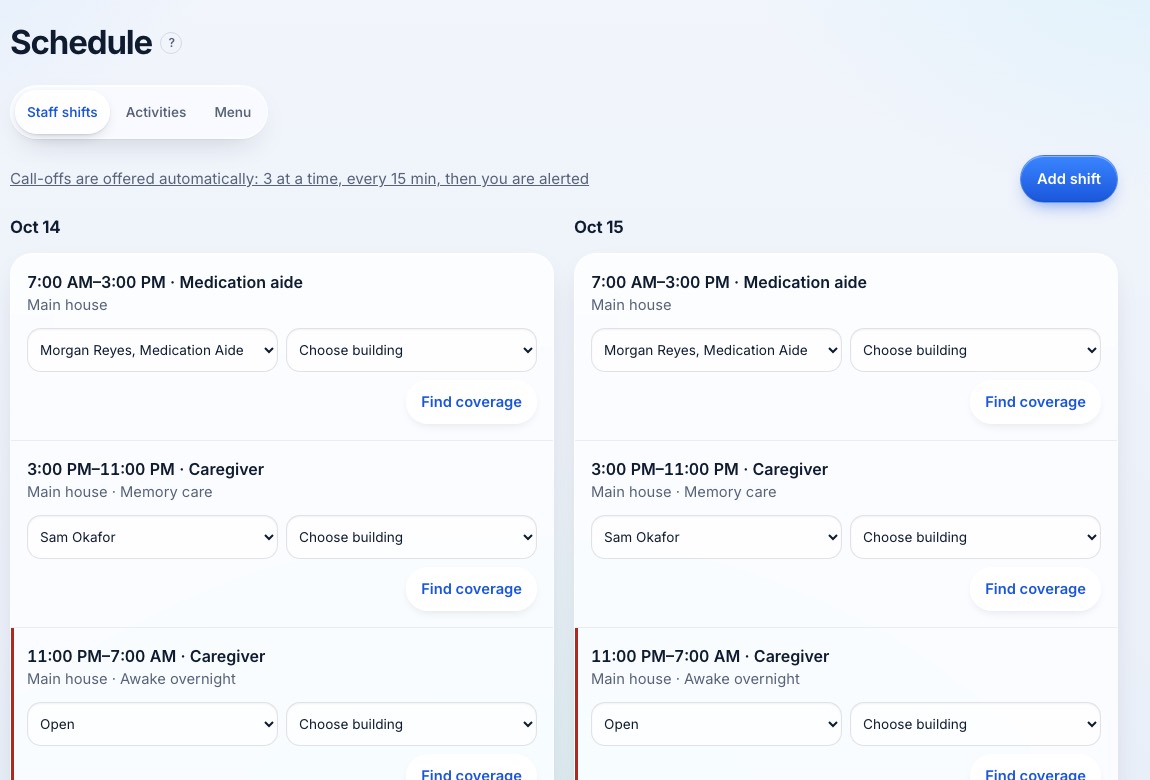
Schedule and call-outs
When someone calls out, Ralfor ranks the staff who are qualified for that shift and drafts the offer. Nothing is sent until a manager approves it, and the schedule won't place someone who isn't qualified.
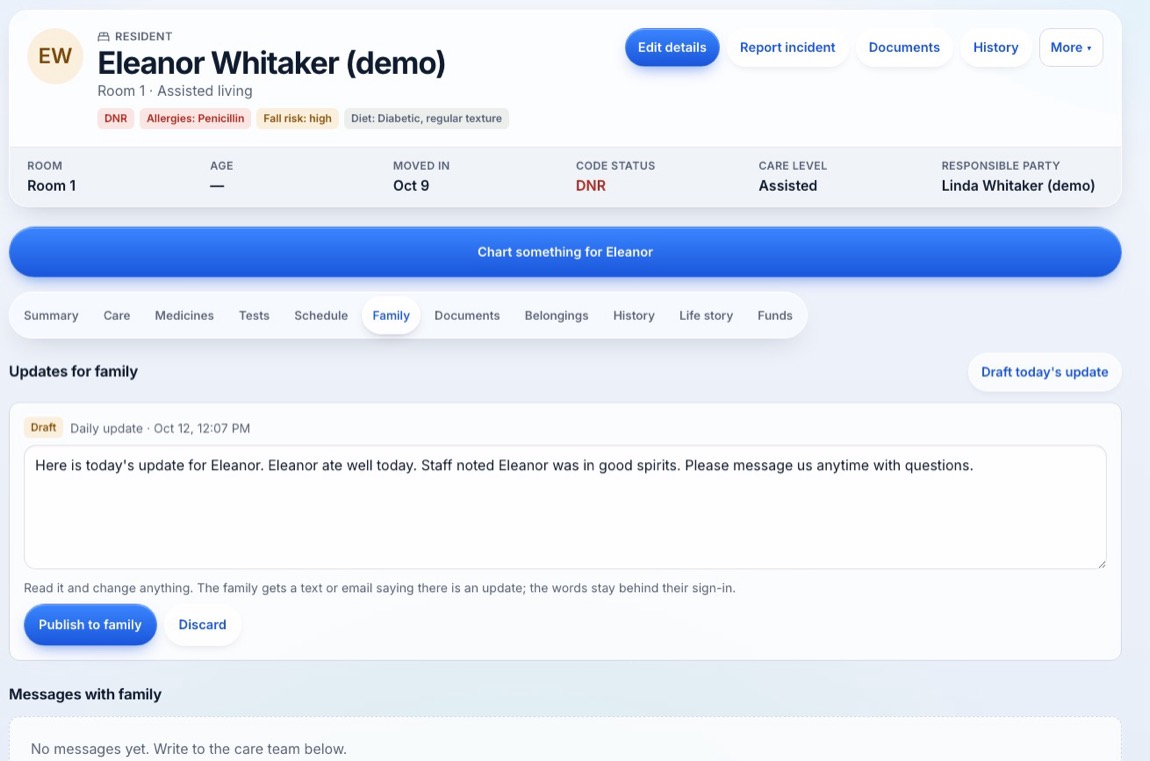
Family updates you approve
A short daily update is drafted from the notes staff already wrote. A staff member reads and approves it before any family member sees it. Families use their own portal for updates, messages, the menu and statements, and never talk to the AI.
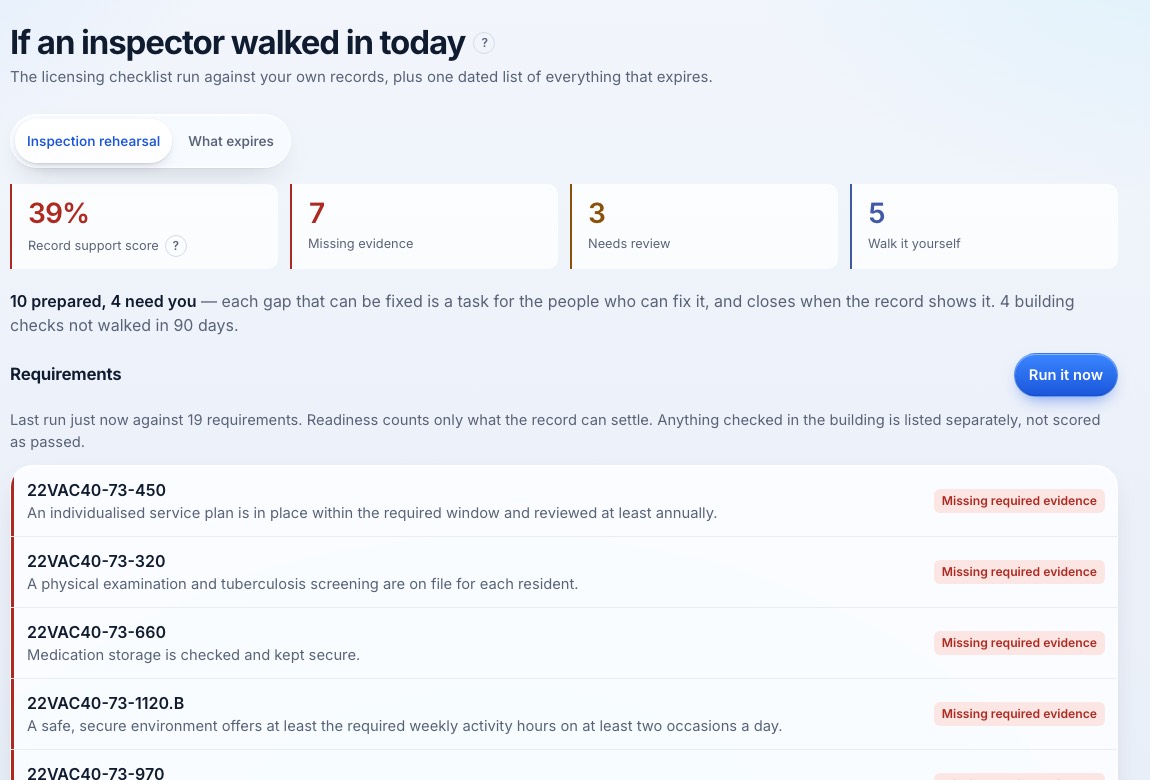
Rehearse an inspection
Run a rehearsal against your own records. Every gap becomes a task for the person who can fix it. It doesn't make a home compliant; it makes the gaps visible before an inspector finds them.
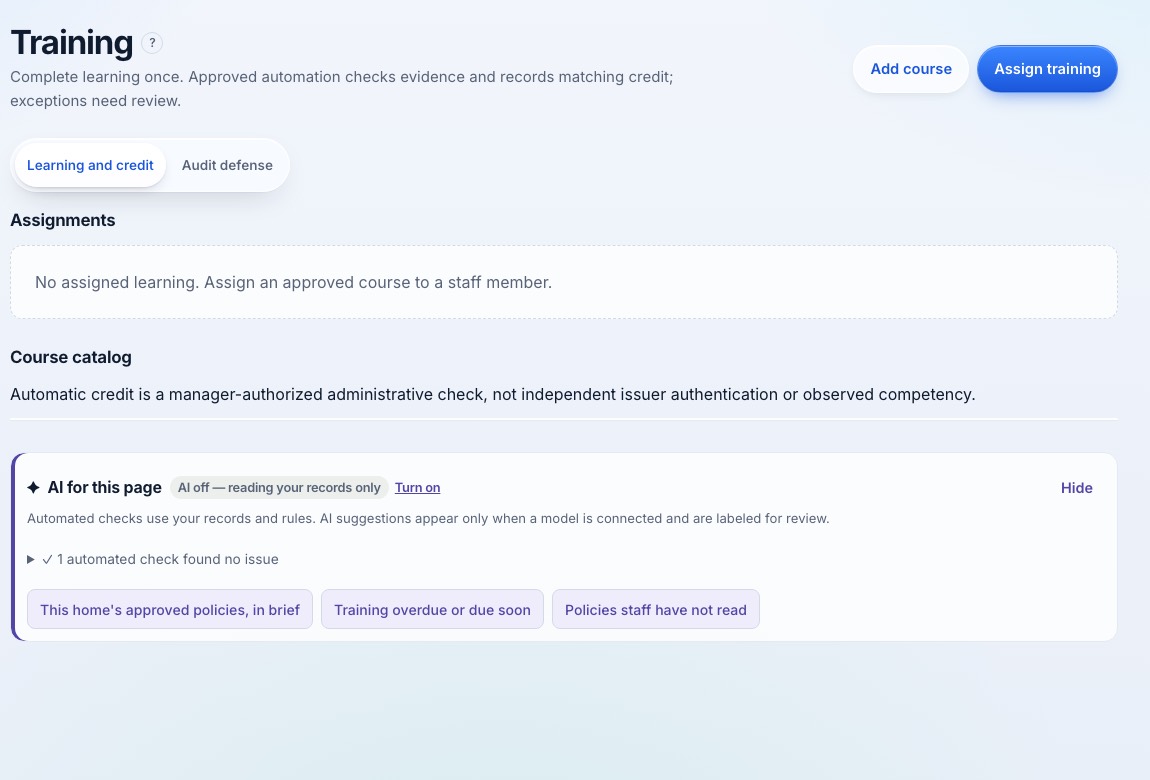
Training and credentials
Training hours and credentials per role, with expiry dates on a radar. The schedule uses them, so a shift isn't filled by someone who isn't qualified for it.
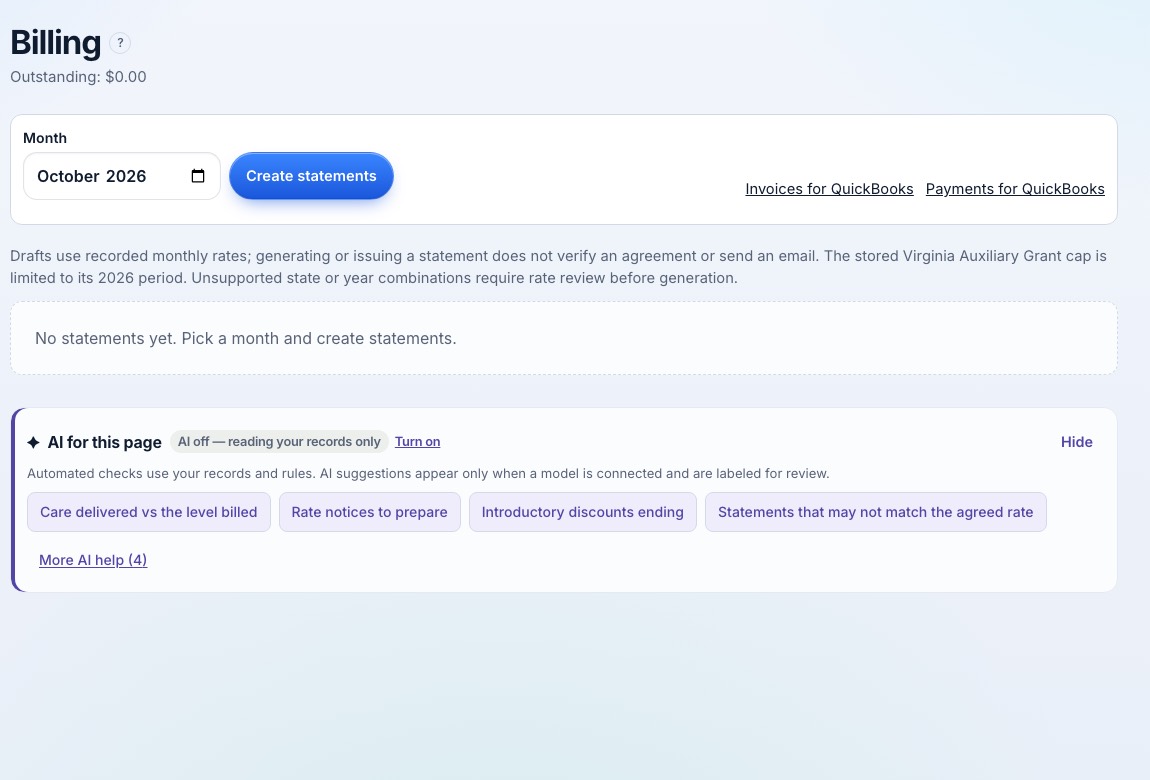
Billing
Monthly statements and charges, a Virginia Auxiliary Grant rate check, scans for billing gaps, and a QuickBooks file export. Payroll turns worked time into a gross-pay run for you to review.
The AI assistant
Ask in plain words, by typing or speaking: "who can cover tonight?", "what's overdue this week?", "how do I record a PRN dose?". The assistant answers from the records you're allowed to see and gives you a link straight to the right screen or record.
- It prepares the work (drafts, follow-ups, cover offers) and waits for the right person's OK.
- It never deletes records, never changes a medication order and never moves money without the owner.
- Every core workflow still runs with the AI switched off.
Try the chat on this page: it answers questions about Ralfor in the same way.
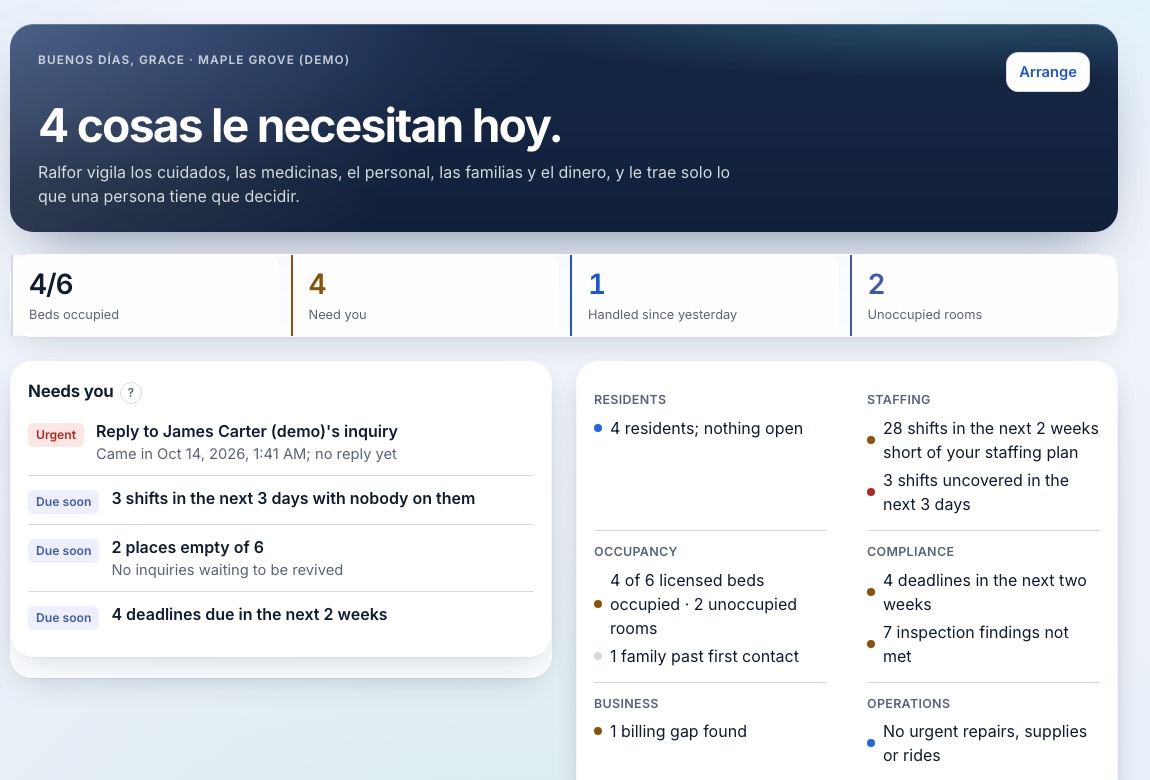
English and Spanish
Each person picks their language on their profile, so a team can work in the language each is most comfortable with. Ralfor installs on phones and tablets, and recent screens stay readable offline.
See it for your home
Built for licensed homes with 4 to 25 beds: assisted living in Virginia, and adult care and family care homes in North Carolina.
Book a demo Request early access
Everything in this tour is a real screen from our sample home. Its residents are made up.